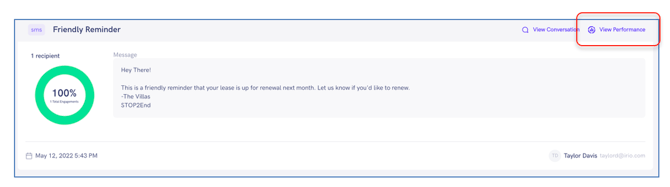
Have you ever questioned whether your message was successfully delivered? That uncertainty is now resolved with our message performance solution. You can monitor message performance through the following:
- Delivery Status
- Opened Emails
- Clicked Links
- Responses
- Unsubscribes
To view the performance of a message, go to Messenger in the top navigation menu and click on Performance.
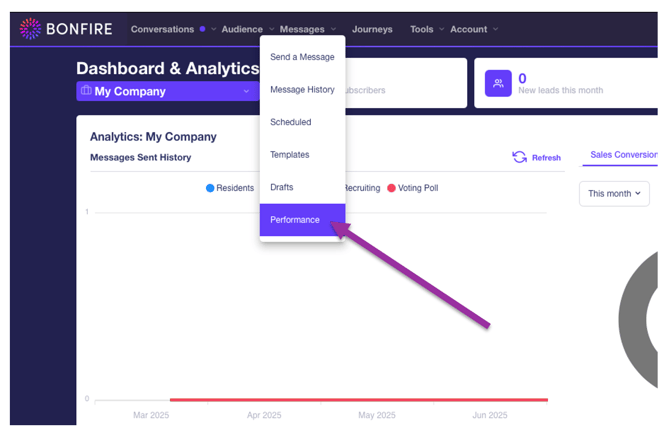
ACCOUNT WIDE DATA
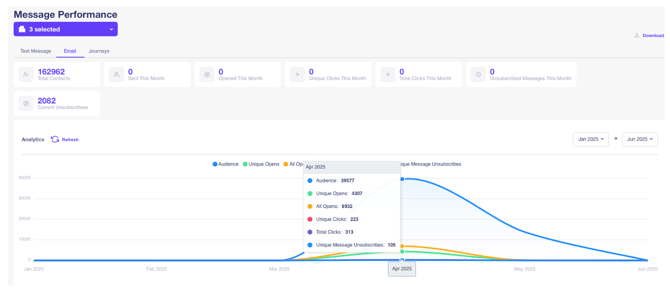
The first thing you might notice about the Message Performance page is the selector at the top. This allows you to choose which Program Groups you’d like to view. You can select multiple or all to get a complete snapshot of message performance for your portfolio.
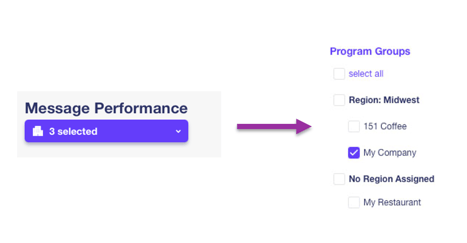
TEXT MESSAGE, EMAIL, AND JOURNEYS
Beneath the selector are three tabs: Text Message, Email, and Journeys.
Each will show their respective messages and include a trove of valuable data. Text Message performance includes:
- Number of messages sent
- Confirmed deliveries
- Unique clicks
- Unsubscribes
- And more…
Use the date selector to narrow down the data to a particular range.
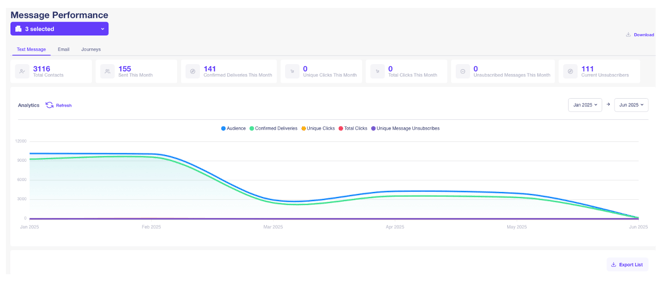
On the email tab, you can view the number of subscribers, open rate, click rate, and response rate percentage of each email sent.
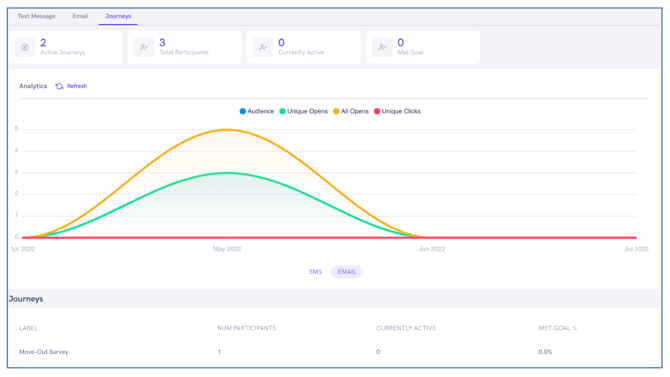
On the Journeys tab you can view the number of participants, active participants and met goal percentages.
INDIVIDUAL MESSAGE PERFORMANCE
To view the performance for an individual message, click on the message in the message list beneath the chart.
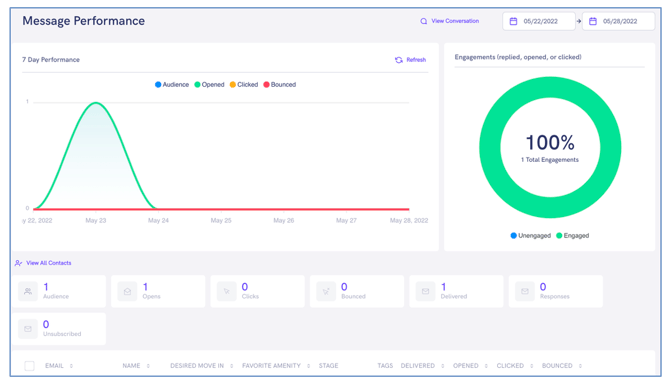
An individual message performance can also be viewed in the Message History screen in the Messenger tab by clicking the View Performance button on the top-right of the message sent.