
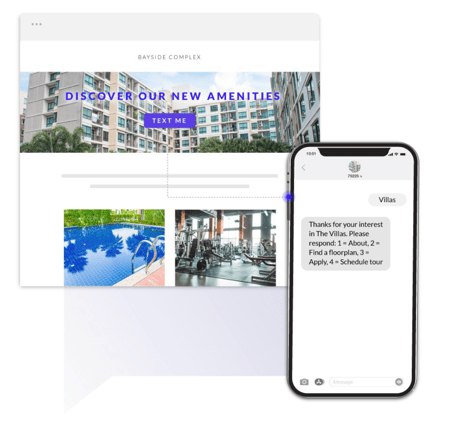
Bonfire provides a one-tap SMS button that each property can add to their website. This enables you to make an easy digital/web conversion for leads. You can add a “Text Us” button to a website or even add a QR code that automatically connects a lead to their message application on their mobile device with the keyword and 10-digit long code prefilled.
HOW DO I GET A ONE-TAP SMS BUTTON
Getting a one-tap SMS button is very simple! Reach out to your account manager to receive an HTML code to provide to your IT department to add to your website where you desire to have the button placed.
DO WE GET A QR CODE?
Your account manager will provide you with a QR code when they provide the HTML code for the one-tap SMS button.
It is highly recommended to have this QR code in the property’s leasing office to enable a prospect to scan it on their mobile device. Once scanned, the prospect will receive the same solution as the one-tap SMS button at the tip of their fingers.