
HOW TO SCHEDULE A MESSAGE
Our platform provides you the capability to schedule a message, including setting a
recurring message.
To schedule a message,
- Go to Messenger, then click on Send a Message to direct you to the Send a
Message screen with the Type tab displayed by default.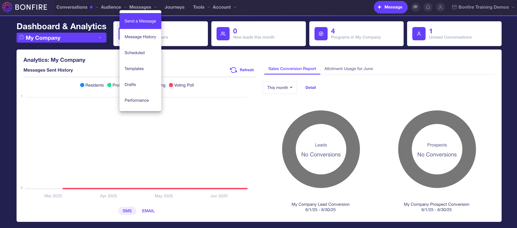
- The Send a Message page is broken up into four different tabs. To activate the
other three tabs, you will need to select a message type in the Type tab:- SMS/MMS – Send an SMS or MMS message with personalization, emojis, or custom field data.
- Simple Email – Plain-text email with basic formatting. A great option for
when you need to send a quick email. - SMS/MMS + Simple Email – With this option, compose an SMS/MMS and
have the same message also be sent as a plain-text email. - Advanced Email – Meet our powerful, rich email builder. Build emails with
buttons, pictures, social links, and more.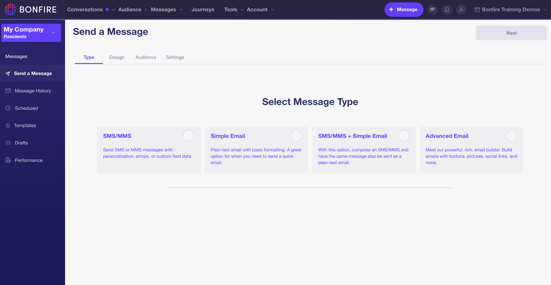
- Click the Next button on the top right of the screen, then it will display the Design
tab. On this page, craft the message as needed.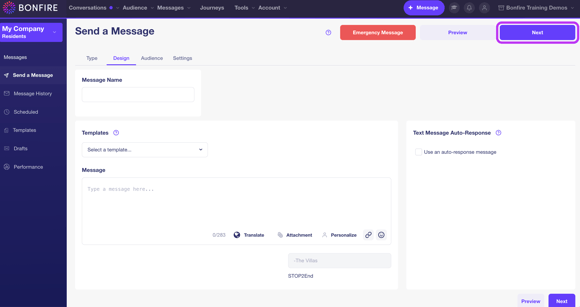
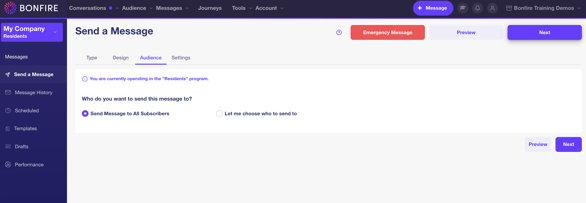
- In the Audience tab, you will add the recipients to send the message to.
- In the Settings tab, this is where you will schedule the message by selecting
Choose a Date and Time and select the following:- Date
- Time
- Time Zone – this field auto defaults to the time zone of your web browser.
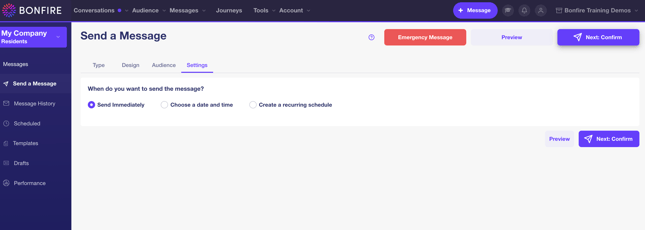
- Click the Next: Confirm button on the top-right of the screen to review the
message and schedule the message to the date and time you have selected.
UPDATE | DELETE A SCHEDULED MESSAGE
Once you have scheduled a message, you can update or delete the message.
To update or delete a scheduled message:
- Go to Messenger, then click on Schedule to direct you to the Scheduled Messages
screen with the One-Time Messages tab displayed by default.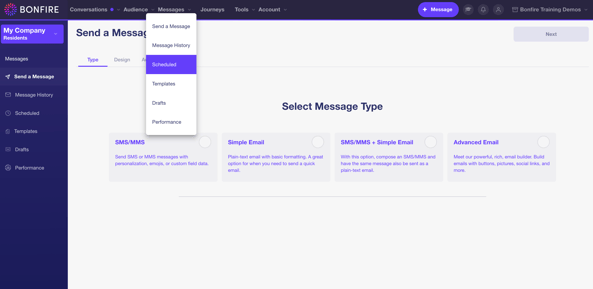
- Click the following button to update or delete a message:
- Edit – Update the message, including the message type, message content,
subscribers, and settings - Delete – To delete the scheduled message
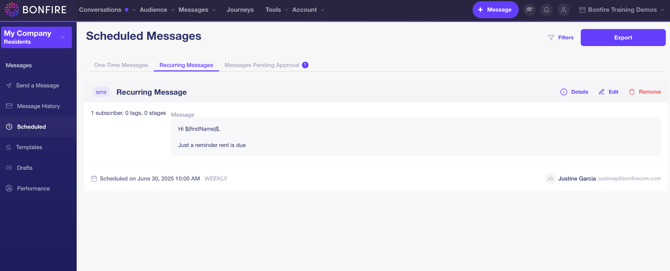
- Edit – Update the message, including the message type, message content,